How to cancel your Academy membership
Follow these instructions:
- Log in to your account (https://leoniedawson.mykajabi.com/login )
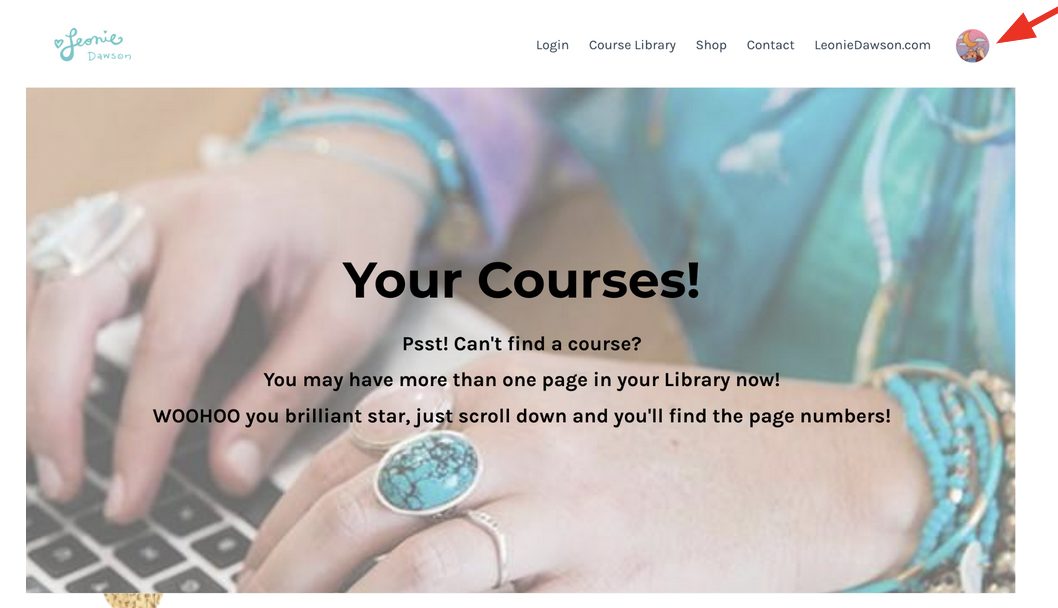
- Click on your Avatar from the page header:
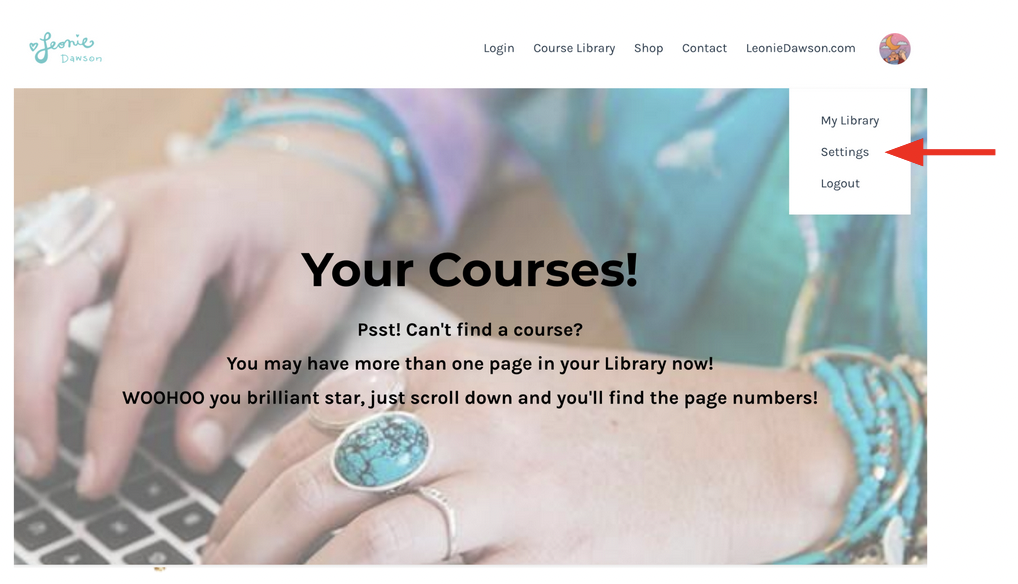
- Select Settings from the dropdown.
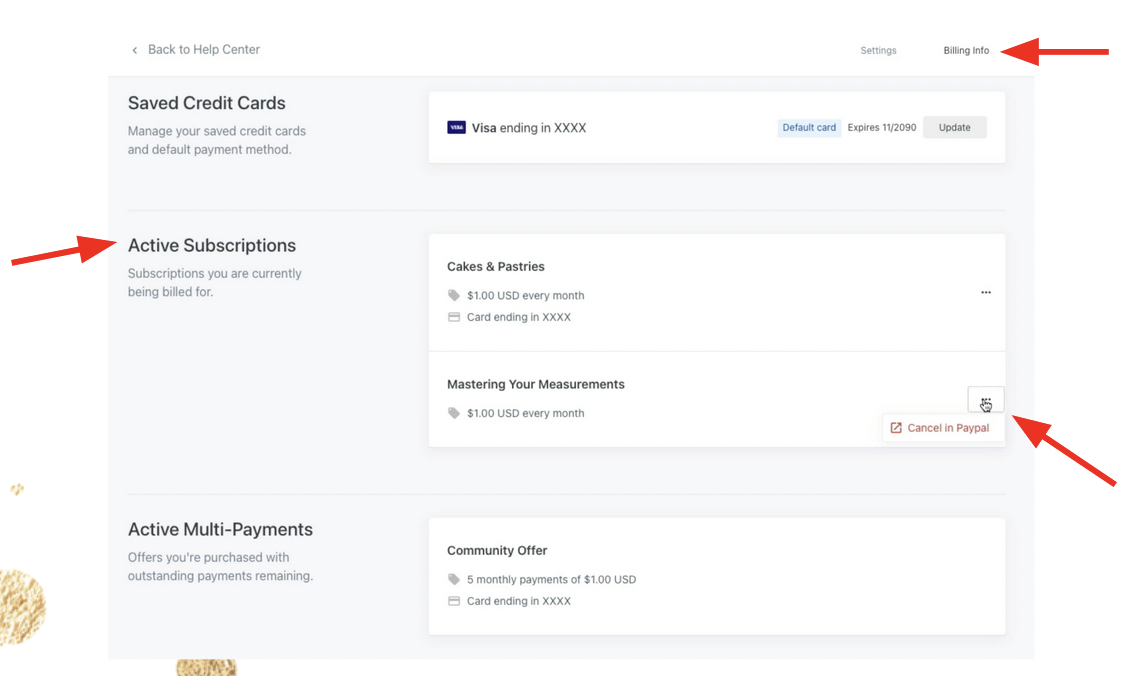
- Click Billing Info in the top right of the page and then you’ll see your active subscriptions.
- Click the three dots next to the subscription you’d like to cancel.
CANCELLING THROUGH STRIPE:
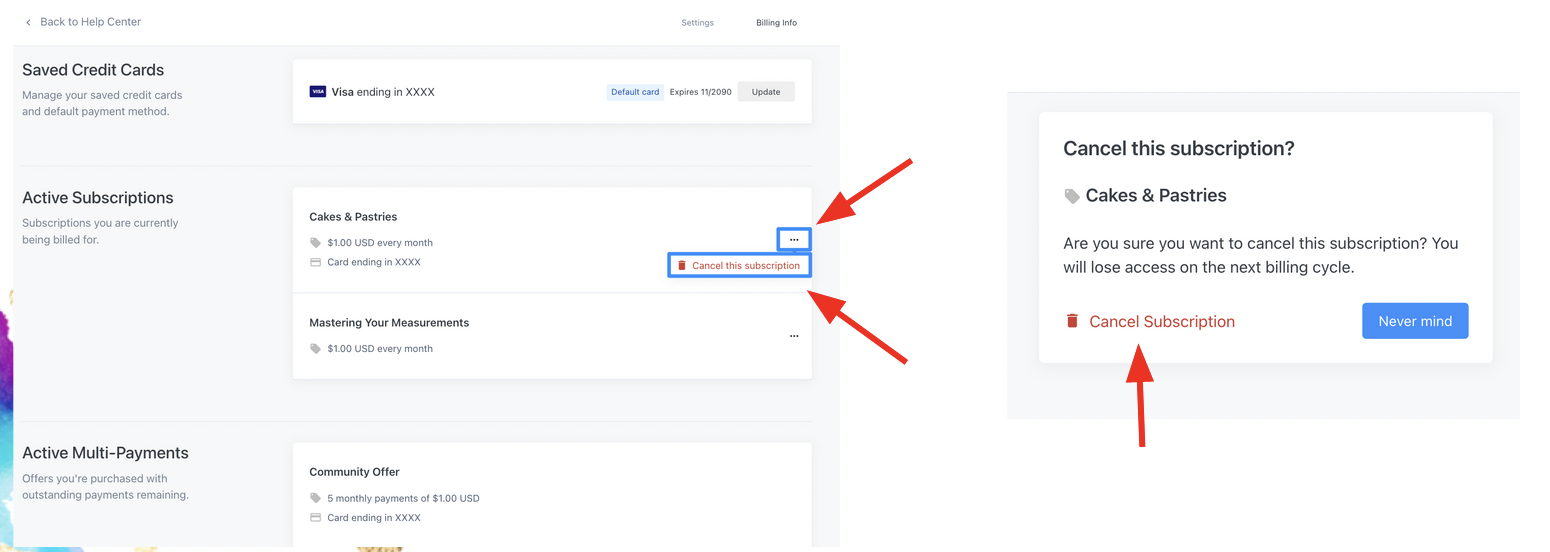
- If your subscription is through the payment method Stripe, simply click the three dots next to the subscription you’d like to cancel then click “Cancel this subscription”.
- A new window will open asking you to confirm. Click “Cancel Subscription” to do so.
- Once confirmed, you will lose access to their Offer Subscription at the end of the current billing cycle.
CANCELLING THROUGH PAYPAL:
- If your subscription is through the payment method PayPal, click the three dots next to the subscription you’d like to cancel then click “Cancel in PayPal”.
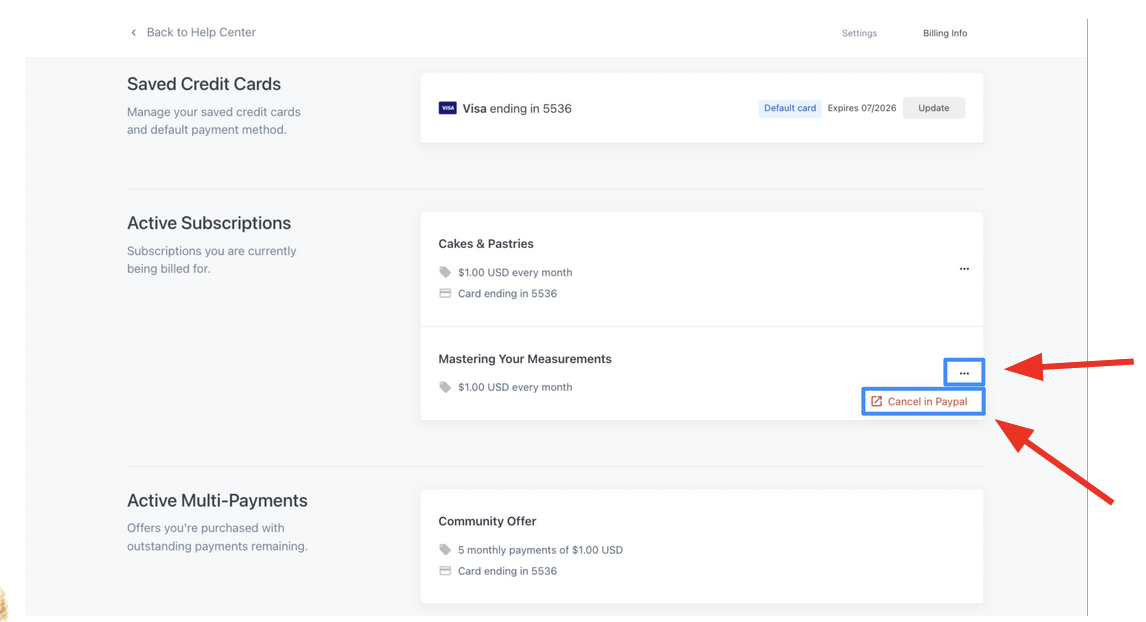
You will then be redirected to your PayPal account in the Payments tab. If you’re not logged in to your PayPal account, you will be prompted to login. Once you’re logged into your PayPal account, complete the following steps:
- Click Payments in the top menu.
- Select Manage automatic payments under the “Automatic payments” section.
- Select the merchant whose agreement you want to cancel in the left sidebar.
- Click the Cancel button.
- Confirm your wish to cancel and click Cancel Automatic Payments.
- Your subscription should be successfully cancelled.
Stuck? Need More Help?
No fear! If you’re having trouble cancelling your membership subscription you can either:
- Head HERE for Kajabi’s step-by-step guide (with handy dandy videos) on cancelling subscriptions
- Email us at support@leoniedawson.com where we’ll get it sorted for you!
If you have any questions or need any assistance with cancelling your subscription, please just email us and we’ll get it sorted ASAP!
Love always,

